
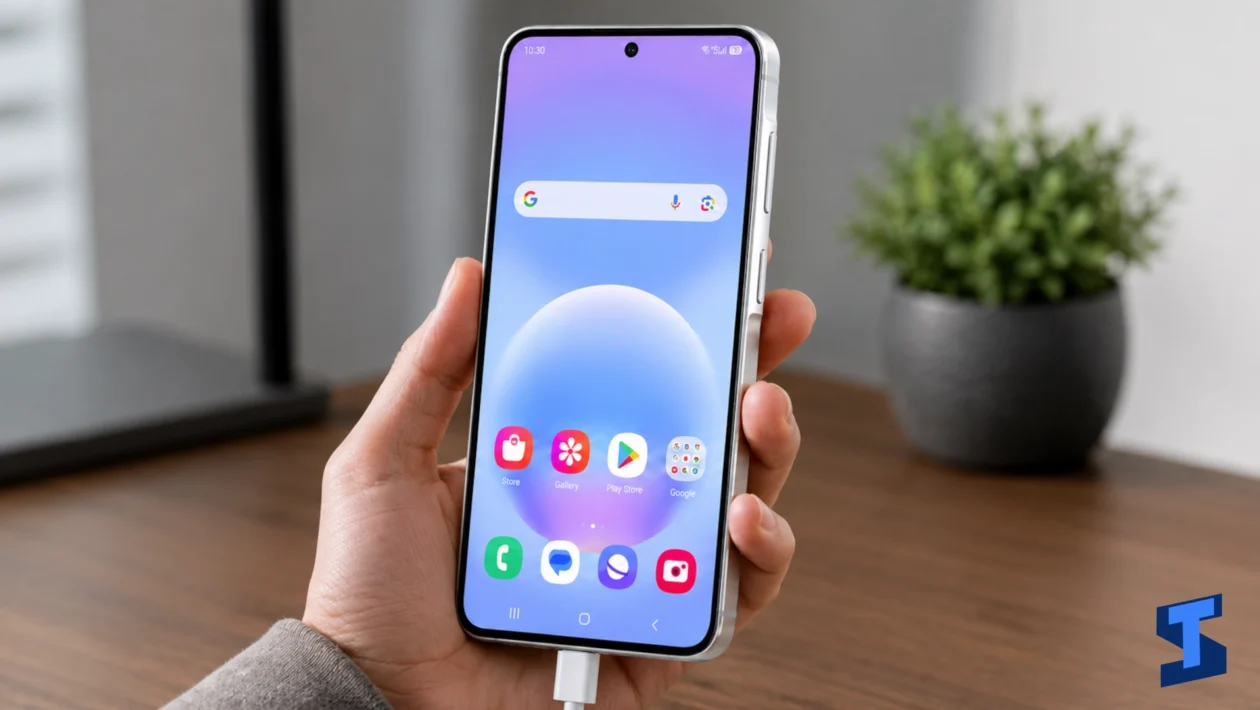
Charging problems on the Galaxy A57 can happen for many reasons. Sometimes the issue is caused by a faulty cable or adapter. Other times, it may be linked to the charging port, battery temperature, moisture warning, software settings, or apps running heavily in the background.
This page covers the most common Galaxy A57 charging problems and helps you find the right guide for your issue. Whether your phone is not charging at all, charges too slowly, keeps pausing, or will not turn on after being plugged in, start here.
For more general troubleshooting, you can also visit the main Galaxy A57 problems and fixes hub.
Common Galaxy A57 Charging Problems
The Galaxy A57 uses both hardware and software to manage charging. The charger, cable, USB-C port, battery temperature, charging settings, and system processes all work together. If one part does not work properly, charging may become slow, unstable, or completely unavailable.
Some charging issues are easy to fix by changing the cable, cleaning the port, restarting the phone, or checking settings. Others may need deeper troubleshooting, especially if the phone shows a moisture warning, stops charging randomly, or does not turn on after charging.
Use the sections below to find the guide that matches your Galaxy A57 charging issue.
Galaxy A57 Not Charging
If your Galaxy A57 is not charging, the first things to check are the cable, adapter, power outlet, and charging port. A damaged cable, weak adapter, loose connection, dirty USB-C port, or drained battery can all prevent the phone from charging.
The problem may also be caused by overheating, moisture detection, software glitches, or a battery protection feature that temporarily stops charging.
Use this guide if your Galaxy A57 does not respond when plugged in, shows no charging icon, or keeps losing battery even while connected to power.
Galaxy A57 Charging Slowly
Slow charging can happen when you use a low-power adapter, damaged cable, dirty port, or a charger that does not support the right charging standard. It can also happen when the phone is hot, running too many background apps, or being used heavily while plugged in.
If your Galaxy A57 takes much longer than usual to charge, check whether Fast Charging is enabled, test another charger, close unused apps, and avoid using the phone while charging.
Slow charging may also be related to battery health or overheating. If your phone gets hot while charging, check the battery and heat issues guide for related fixes.
Galaxy A57 Fast Charging Not Working
Fast charging may stop working if the feature is disabled, the charger or cable is not compatible, the phone is too warm, or the charging port connection is unstable.
Your Galaxy A57 may still charge, but it may only use regular charging speed. This often happens when using a third-party charger that does not provide the right power output, or when the USB-C cable is damaged or not rated for fast charging.
Use this guide if your Galaxy A57 no longer shows fast charging, charges slowly even with a fast charger, or takes much longer to reach full battery.
Galaxy A57 Charging Keeps Pausing
If charging keeps pausing, your Galaxy A57 may be protecting itself from heat, unstable current, moisture, or a loose charging connection. You may see charging stop and start again, or the battery percentage may stay the same for a long time.
This issue can be caused by a faulty cable, weak adapter, overheating, damaged charging port, dirty USB-C connector, or a background process causing the phone to heat up.
If charging pauses while the phone is warm, let it cool first. If charging pauses even when the phone is cool, check the cable, adapter, and port.
Galaxy A57 Moisture Detected Error While Charging
The moisture detected warning appears when your Galaxy A57 detects moisture, debris, or a possible short risk in the charging port. When this happens, wired charging may be blocked to protect the phone.
This warning can appear after exposure to water, humidity, sweat, dust, or even a dirty USB-C cable. In some cases, it may also appear because of a software glitch.
Do not force the charger into the port if the moisture warning is active. Unplug the cable, dry the phone, check the port carefully, and wait before trying again.
Galaxy A57 Charging Port Not Working
If the charging port is not working, your phone may not charge consistently, may only charge at a certain angle, or may disconnect when the cable moves. This can happen because of lint, dust, corrosion, a loose port, damaged pins, or physical wear.
Before assuming the port is damaged, test another cable and adapter. Also inspect the USB-C port for visible dirt or debris. Avoid using sharp objects to clean it because this can damage the internal contacts.
If the port is physically loose, bent, or damaged, it may need professional repair.
Galaxy A57 Battery Percentage Not Increasing While Charging
If your Galaxy A57 shows that it is charging but the battery percentage does not increase, the phone may be using power faster than it receives power. This can happen when using a weak charger, gaming while charging, running many background apps, or charging while the phone is hot.
The issue can also be caused by a software glitch, bad cable, charging port problem, or battery calibration issue.
Use this guide if the charging icon appears but the battery level stays the same, drops while plugged in, or increases very slowly.
Galaxy A57 Won’t Turn On After Charging
If your Galaxy A57 will not turn on after charging, the battery may be deeply drained, the charger may not be working, or the phone may be stuck on a black screen. It may also be caused by a system crash, charging port issue, damaged cable, or battery-related fault.
Try charging the phone for several minutes using a known working charger and cable. Then perform a forced restart. If the phone still does not respond, check whether the screen, charging port, or battery may be involved.
If the device seems powered on but the display stays black, the issue may be related to the screen. Visit the display and touchscreen troubleshooting page for related fixes.
What Causes Galaxy A57 Charging Problems?
Galaxy A57 charging problems can come from hardware, software, temperature, or accessories. In many cases, the phone itself is not the problem. The issue may come from the charger, cable, outlet, or charging environment.
Common causes include:
- Damaged USB-C cable
- Low-power or incompatible charger
- Dirty or loose charging port
- Moisture or debris in the USB-C port
- Overheating while charging
- Using the phone heavily while plugged in
- Fast Charging turned off
- Background apps consuming power
- Software glitches after an update
- Battery protection features
- Weak power outlet or extension cord
- Phone case trapping heat
- Battery or charging hardware damage
If the charging problem started after a drop, water exposure, charger change, or software update, that change may help you identify the cause.
What to Try First
Before moving to a specific guide, try these quick fixes first.
- Restart your Galaxy A57.
- Use a different charging cable.
- Use a different compatible adapter.
- Try another wall outlet.
- Check the USB-C port for dust, lint, or moisture.
- Remove the phone case while charging.
- Let the phone cool down if it feels warm.
- Stop using the phone while it charges.
- Check if Fast Charging is enabled.
- Update your phone software.
- Close apps running in the background.
If your Galaxy A57 still does not charge properly, choose the guide that matches your specific issue.
When Charging Problems Are Related to Other Issues
Some charging problems are connected to other Galaxy A57 issues.
If your phone gets hot while plugged in, check the Galaxy A57 battery problems page.
If the phone charges slowly because apps keep running in the background, visit the performance troubleshooting guide.
If the device will not turn on and the screen stays black, check the display and touchscreen fixes.
If charging-related notifications or alerts do not sound, visit the sound and call issues page.
If your phone needs internet access for updates, backups, or account verification during troubleshooting, you may also need the Wi-Fi and Bluetooth guide or the mobile data and SIM troubleshooting page.
If you cannot unlock the phone to check charging settings, visit the security and lock screen guide.
How to Charge Your Galaxy A57 Properly
Good charging habits can help keep your Galaxy A57 battery healthier for longer.
Use a compatible charger and cable. Avoid very cheap or damaged charging accessories because they may provide unstable power. If the cable feels loose, frayed, or unusually warm, replace it.
Charge your phone in a cool, dry place. Avoid charging under pillows, inside bags, near direct sunlight, or in hot rooms. Heat is one of the biggest reasons charging slows down or pauses.
It is also better to avoid heavy gaming, long video recording, or hotspot use while charging. These activities can make the phone warmer and slow down the charging process.
If you often charge overnight, check your battery protection settings and avoid using unknown chargers.
When Should You Get the Galaxy A57 Checked?
You should consider service or repair if your Galaxy A57 still does not charge after trying different cables, adapters, and outlets. You should also get the phone checked if the charging port feels loose, the phone only charges at a certain angle, the moisture warning does not go away, or the device gets too hot while charging.
Seek professional help if the phone has been dropped, exposed to water, or shows signs of battery swelling. Do not keep charging the device if it smells unusual, becomes extremely hot, or shows physical damage.
If the phone is still under warranty, contact Samsung Support or visit an authorized service center.
Final Thoughts
Galaxy A57 charging problems can be caused by a simple accessory issue or a deeper hardware or software problem. Start with the basics: check the cable, adapter, outlet, charging port, temperature, and charging settings.
If the issue continues, use the guide that matches your problem. Whether your Galaxy A57 is not charging, charging slowly, pausing while charging, showing a moisture warning, or refusing to turn on after charging, the right troubleshooting steps can help you narrow down the cause and fix the issue faster.
Frequently Asked Questions
Why is my Galaxy A57 not charging?
Your Galaxy A57 may not charge because of a damaged cable, incompatible adapter, dirty charging port, weak outlet, moisture warning, overheating, or software glitch. Try another charger and cable first, then restart the phone and inspect the USB-C port.
Why is my Galaxy A57 charging slowly?
Slow charging can happen when Fast Charging is disabled, the charger is weak, the cable is damaged, or the phone is too warm. It can also happen if you are using the phone heavily while it is plugged in.
Why is fast charging not working on my Galaxy A57?
Fast charging may not work if you are using an incompatible charger or cable, the feature is turned off, the phone is overheating, or the charging port connection is unstable. Use a compatible fast charger and check your battery settings.
Why does my Galaxy A57 keep pausing charging?
Charging may pause because the phone is too hot, the cable is loose, the charger is unstable, or the charging port has dirt or moisture. Let the phone cool down, then test another charger and cable.
What should I do if my Galaxy A57 shows moisture detected?
Unplug the charger immediately and let the phone dry. Check the USB-C port and cable for moisture or debris. Do not force charging while the warning is active because the phone is trying to protect itself.
Why does my Galaxy A57 show charging but the battery percentage does not increase?
This can happen when the phone is using more power than the charger provides. It may also be caused by a weak adapter, damaged cable, overheating, background apps, or a battery calibration problem.
Can I use any charger with my Galaxy A57?
You should use a compatible charger and cable that support the charging standard required by your phone. Low-quality or damaged chargers may cause slow charging, unstable charging, or overheating.
Is it normal for the Galaxy A57 to get warm while charging?
A little warmth is normal, especially during fast charging. However, it is not normal if the phone becomes too hot to hold, stops charging because of heat, or overheats every time you plug it in.
What should I do if my Galaxy A57 won’t turn on after charging?
Charge it with a known working cable and adapter for several minutes, then perform a forced restart. If it still does not respond, the issue may involve the battery, charging port, screen, or system software.
When should I take my Galaxy A57 to a service center?
Take your Galaxy A57 to a service center if it still will not charge after testing another cable and adapter, if the charging port is loose or damaged, if the moisture warning will not disappear, or if the phone gets extremely hot while charging.